To Top
Fanvil LINKVIL CA200 Wireless Conference Kit: Simple Wireless Screen Sharing for Modern Meeting Rooms

Fanvil LINKVIL CA200 Wireless Conference Kit: Simple Wireless Screen Sharing for Modern Meeting Rooms

Modern meeting rooms need to support more than basic discussions. Teams now share presentations, reports, dashboards, websites, product information and video meeting content from different devices every day.

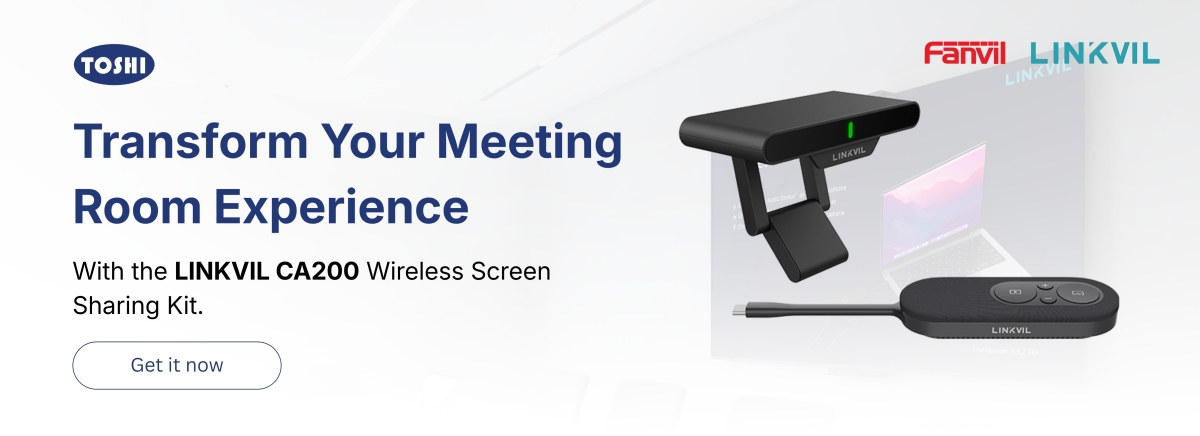
The Fanvil LINKVIL CA200 Wireless Conference Kit is designed to make this process easier. It provides a clean and simple way to share content wirelessly to a meeting room display without complicated setup or software installation.

Easy wireless presentation

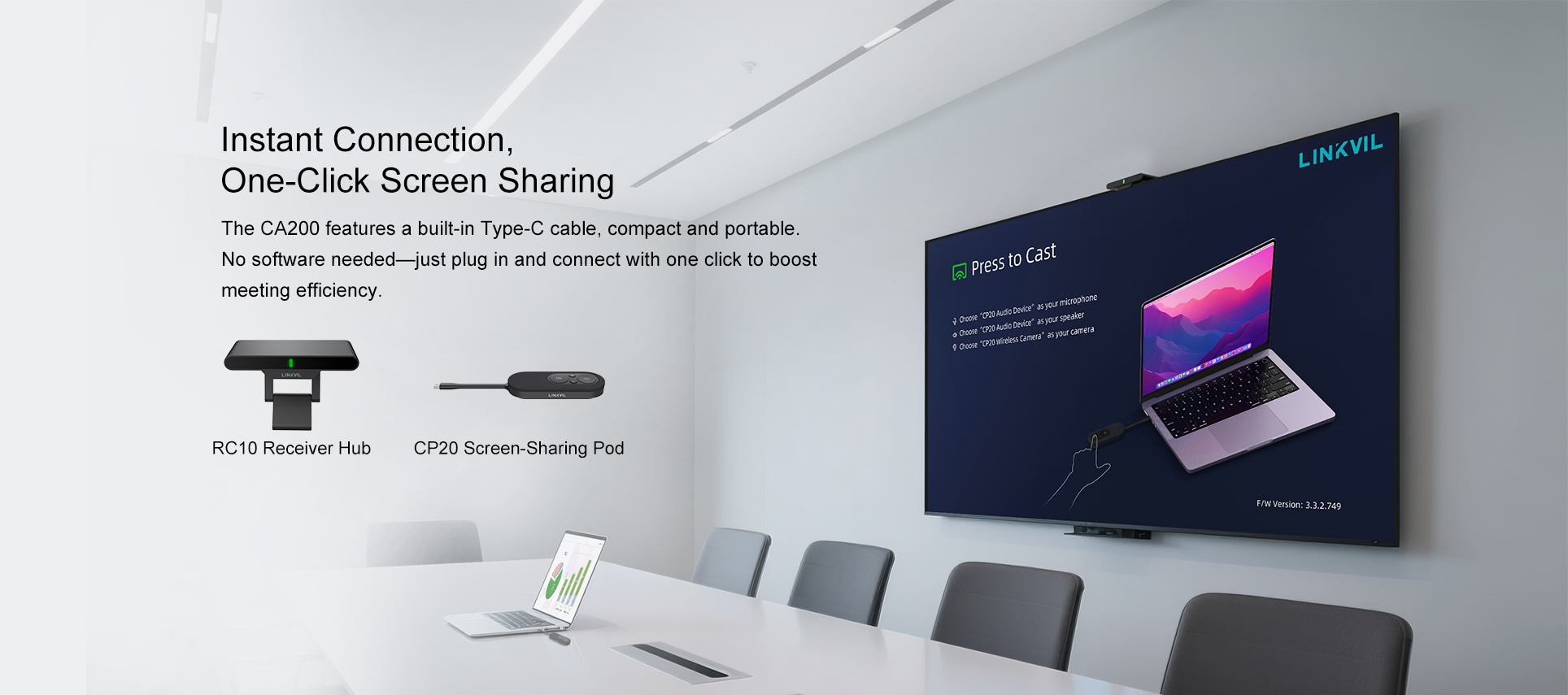
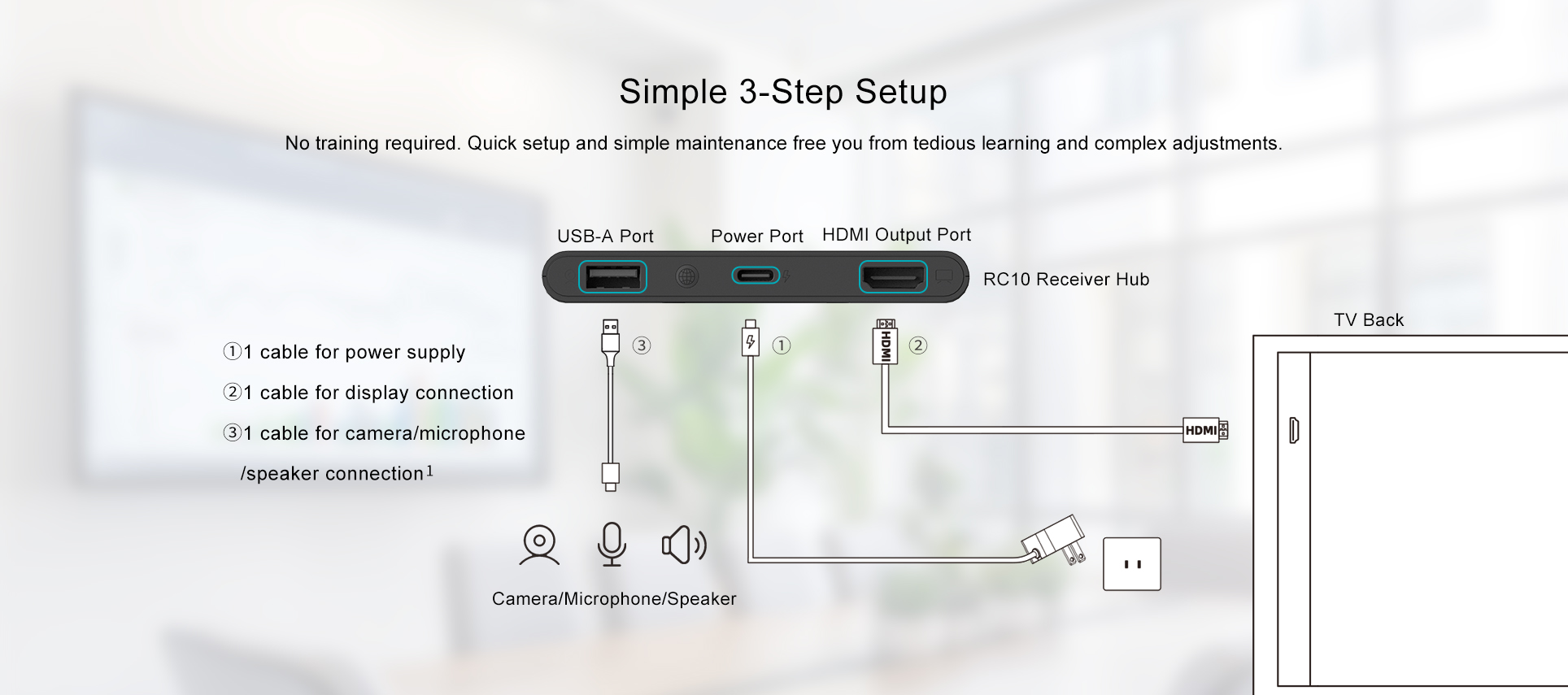
The CA200 comes with a receiver hub and CP20 screen sharing pod. Once connected to the display, users can start sharing their screen with a simple press.

This helps meetings start faster and reduces the need for HDMI cables, adapters and manual display setup.
4K screen sharing quality

The CA200 supports 4K wireless casting, making it suitable for professional presentations, product demonstrations, training sessions, document reviews and management meetings.

Clear display quality is important when showing detailed content such as spreadsheets, technical documents, product images or business reports.

Share from laptops, tablets and smartphones

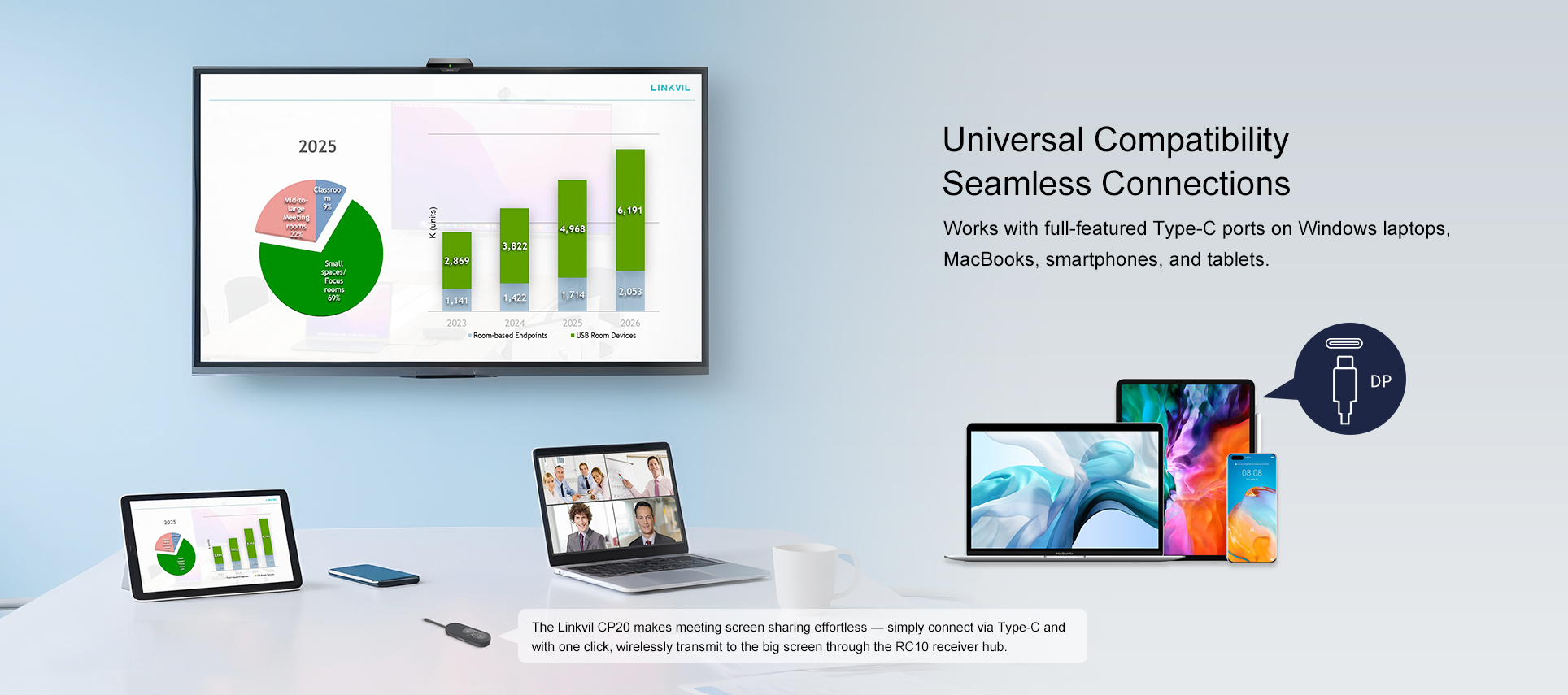
The CA200 supports screen sharing from Windows and Mac computers, laptops, tablets and smartphones with full featured USB C.

This gives users more flexibility during meetings. A presenter can share slides from a laptop, a trainer can display content from a tablet, or a sales team member can quickly show information from a smartphone.

It is especially useful for businesses where different users bring different devices into the meeting room.
Support for multiple presenters

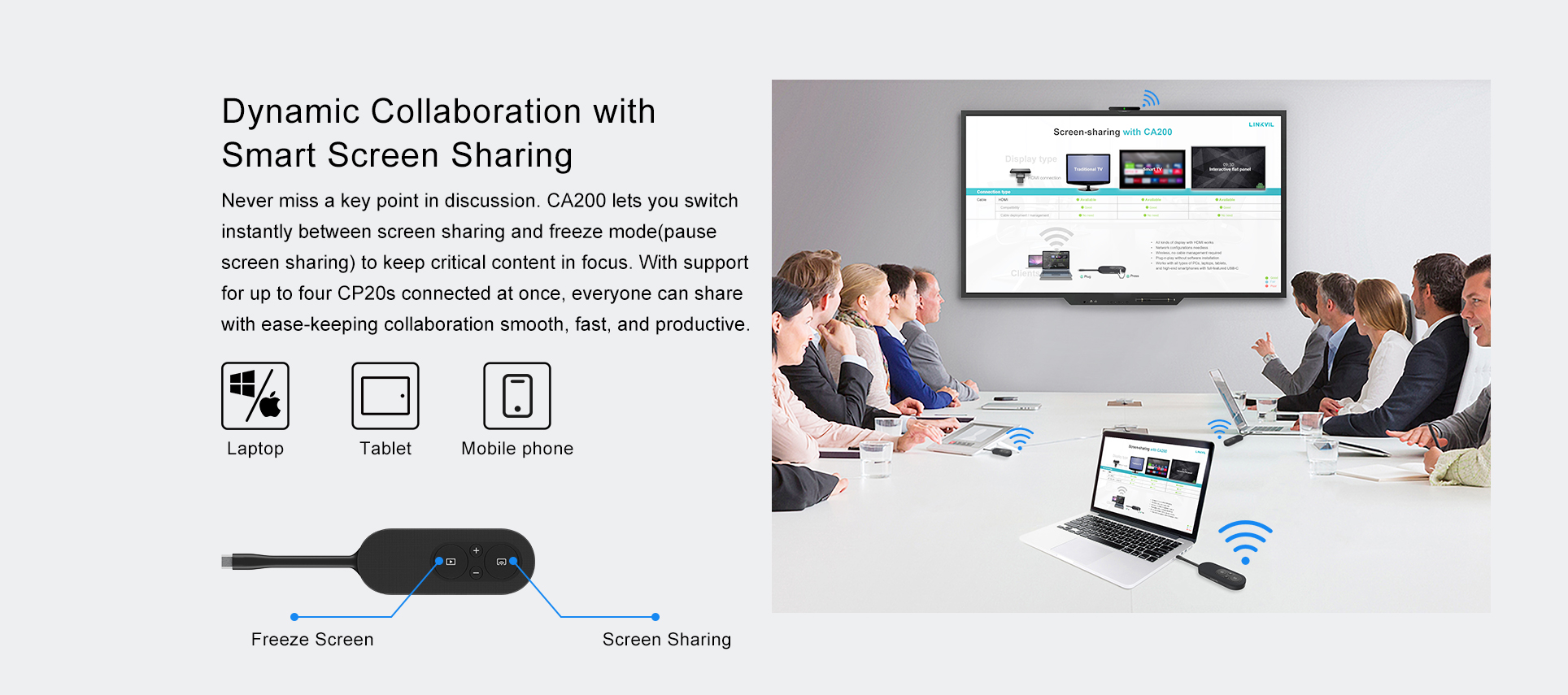
One CA200 hub can connect up to four CP20 screen sharing pods. This makes it easier for multiple presenters to share during the same meeting.

Instead of changing cables or reconnecting devices, users can switch between presenters more smoothly and keep the meeting moving.
Freeze mode for better control

The CA200 also supports freeze mode, allowing presenters to pause what is shown on the main screen while they continue working privately on their own device.

This is useful when opening another file, checking notes or preparing the next part of a presentation.

Cleaner and more professional meeting rooms

By reducing cable clutter, the CA200 helps create a cleaner and more professional meeting room environment.

It is a practical choice for meeting rooms, boardrooms, training rooms, classrooms, customer briefing areas and shared office spaces.
Secure and business ready

The CA200 supports secure wireless sharing with WPA3 PSK encryption, making it suitable for business environments where users may present internal documents, customer information or confidential project details.

A smart meeting room upgrade

The Fanvil LINKVIL CA200 Wireless Conference Kit is a practical solution for businesses that want easier screen sharing, cleaner meeting rooms and better meeting efficiency.

With 4K wireless casting, support for laptops, tablets and smartphones, multiple presenter support, freeze mode and plug and play setup, the CA200 is a simple but valuable upgrade for modern collaboration spaces.

Toshi resellers can purchase the Fanvil CA200 from the Toshi B2B Store.

End users who are interested in this product should contact one of our authorised resellers for purchase and support.


Read more...

IP-Telephony Keywords that you need to learn

VoIP, or IP telephony, might be new to many of our resellers. Therefore, we want to share knowledge to help you learn this technology and expand your market opportunities, as the analog PBX industry is expected to be phased out soon.

Here’s a list of essential VoIP (Voice over IP) keywords with brief descriptions for you:

1. SIP (Session Initiation Protocol): A signaling protocol used to initiate, maintain, and terminate VoIP calls. It manages call setup, modification, and teardown.

2. RTP (Real-Time Transport Protocol): Used for delivering audio and video over IP networks, ensuring real-time communication in VoIP systems.

3. SIP Trunking: A method of delivering telephone services and unified communications to an organization's IP PBX using the SIP protocol.

4. PBX (Private Branch Exchange): A private telephone network used within an organization. Users can communicate internally and externally using different communication channels like VoIP.

5. IP-PBX: An upgrade from traditional PBX, this system uses VoIP for internal and external communication, routing calls over data networks.

6. FXO (Foreign Exchange Office): A port that connects a device like a phone or fax machine to an analog line. It converts the analog line into a VoIP signal.

7. FXS (Foreign Exchange Station): A port that delivers analog line (like POTS) to a device such as an analog phone or fax. It converts the VoIP signal into an analog one for use by these devices.

8. VoIP (Voice over IP): Technology that allows you to make voice calls using a broadband internet connection instead of a regular phone line.

9. Codec (Coder-Decoder): A program or device that compresses or decompresses digital media, such as audio. Popular codecs in VoIP include G.711, G.729, and Opus.

10. ISDN (Integrated Services Digital Network): An older set of standards for digital transmission of voice and data over telephone networks. It’s still used in some systems for high-quality voice and video transmissions.

11. DID (Direct Inward Dialing): A service provided by telephone companies that allows a company to allocate individual phone numbers to a range of lines, bypassing the need for a human operator or a physical switchboard.

12. Extension: Internal telephone number assigned to a user or device in a PBX system that allows routing of calls within the organization.

13. ATA (Analog Telephone Adapter): A device that converts analog signals from traditional telephones into digital signals that can be transmitted over VoIP networks.

14. QoS (Quality of Service): A technology that prioritizes voice data on a network to ensure high-quality voice communication and avoid delay, jitter, and packet loss.

15. Jitter: Variation in packet arrival time, which can cause voice quality issues in VoIP if not controlled or minimized.

16. NAT (Network Address Translation): A method used by routers to modify IP addresses in packet headers. VoIP systems often require special handling of NAT to ensure proper call signaling and media transfer.

17. Softphone: A software application that allows users to make phone calls over the internet using a computer or mobile device instead of a physical phone.

18. SIP Proxy: A server that handles SIP requests and routes them to the appropriate destination, often used to manage VoIP calls and facilitate connections between devices.

19. DTMF (Dual-Tone Multi-Frequency): The signaling method used to send digits over a phone line (the tones you hear when pressing buttons on a phone). Important in VoIP for call control and IVR systems.

20. IVR (Interactive Voice Response): A telephony menu system that interacts with callers, gathers information, and routes calls to the appropriate recipient.

21. VLAN (Virtual Local Area Network): A technology that segments networks, often used in VoIP systems to separate voice traffic from data traffic to improve performance.

This list will give the new comers a good foundation in VoIP technology, helping them understand key components and protocols in the system.

Read more...

Callroute Releases Microsoft Teams Policy Management to Streamline IT Operations

Callroute gives Microsoft Teams customers the ability to save up to $12 per user per month with the release of User Personas.

United Kingdom, 22nd March 2023: Callroute, the voice aggregator that allows you to connect any carrier to any phone system, today launched its User Persona Management for Microsoft Teams. This latest update will help Microsoft Teams customers who must manage multiple Teams user policy assignments depending on the user’s job function. Using Callroute’s User Personas for Microsoft Teams, IT Admins can now group Teams policies into a persona and apply them to users in a single click. Not only saving valuable time but also saving up to $12 per user per month vs Policy Packages in Teams which is a Teams Premium feature.  

Read more...

Why Sangoma's PBXact is great choice for Enterprise Phone System?

Sangoma PBXact is a great choice for an enterprise phone system for several reasons:

  1. Scalability: PBXact can support a large number of extensions, making it suitable for organizations of any size.

  2. Ease of use: PBXact is designed to be user-friendly and easy to navigate, even for non-technical users.

  3. Advanced features: PBXact offers advanced features such as call recording, call routing, voicemail-to-email, and more, making it a powerful tool for any organization.

  4. Customization: PBXact can be customized to fit the specific needs of your organization, allowing you to create a phone system that works for you.

  5. Support: Sangoma offers excellent customer support, with a team of experts available to assist you with any issues or questions you may have.

Overall, Sangoma PBXact is a reliable, feature-rich phone system that can help organizations of any size improve their communication and collaboration capabilities.


We at Toshi offering IP-Telephony solution for any project needs and would be happy to assist. please contact us for any inquiry.

Read more...
Subscribe to this RSS feed
  • 1
  • 2

Toshi Sdn Bhd 2006-2024 © All Rights Reserved